 yukti
yukti
Available now
Section 1
History of Money
From swapping wheat to scanning a QR code: how money came to be.
Start courseFree · No download · Story-based lessons
Bite-size lessons, quick quizzes and a hands-on Budget Lab, right in your browser. Yuki the squirrel cheers you on every step.
Works on your phone, tablet and laptop. Sign in to keep your progress everywhere.
Try a question · History of Money
Meera has sacks of wheat, but the potter wants a shirt, not wheat. Trading things directly, without money, is called…
Barter means swapping one thing for another, with no money involved. It only works when both people want what the other has.
Keep going in the full lesson →
16 units in three levels, from where money came from to planning your future. Each unit is a path of short story lessons and a final challenge. Start anywhere.
Section 1
From swapping wheat to scanning a QR code: how money came to be.
Start courseSection 2
Track where your money goes, plan for it, and save for what matters.
Start courseSection 3
Your money or the bank's? Cards, bills, interest and staying in control.
Start courseSection 4
Money that works for you: capital, interest on interest, time and inflation.
Start courseSection 5
The number lenders use to trust you, and how to build and protect it.
Start courseSection 6
What a loan really costs, how to compare offers and spot red flags.
Start courseSection 7
Paying for education: how education loans work and when they're worth it.
Start courseSection 8
Sharing risk: health insurance, other cover and reading the fine print.
Start courseSection 9
Why taxes exist, how income tax slabs work, and TDS, PAN and filing.
Start courseSection 10
Investing small amounts regularly, and the risks to know about.
Start courseSection 11
Many people, one basket: units, fund types, costs and fact sheets.
Start courseSection 12
Shares, crypto tokens and price contracts, explained plainly.
Start courseSection 13
The bank of banks, and how its rate moves your loans and savings.
Start courseSection 14
Buying a home with a loan: the costs, the tenure and renting vs buying.
Start courseSection 15
Planning for later: time, EPF, PPF and NPS, and how much is enough.
Start courseSection 16
Stories of big dreams, and mapping the road to your own.
Start courseCapstone
Bring it all together: turn one dream into a goal, a budget and a step-by-step plan.
Build your planTwo minutes to find the right place to start, so you skip what you already know.
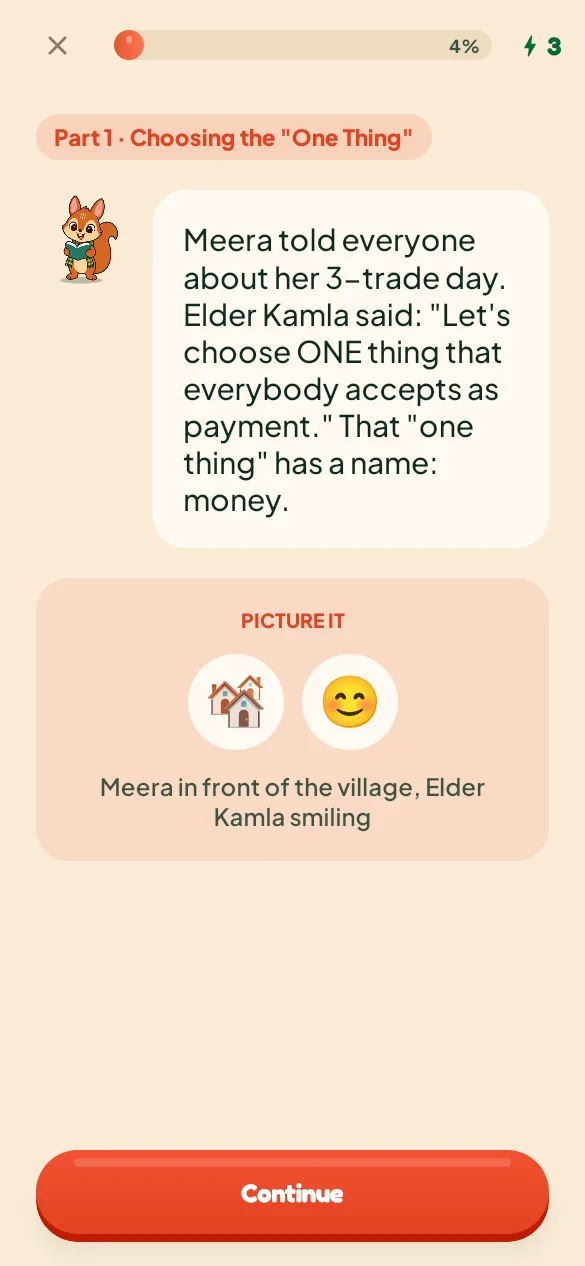
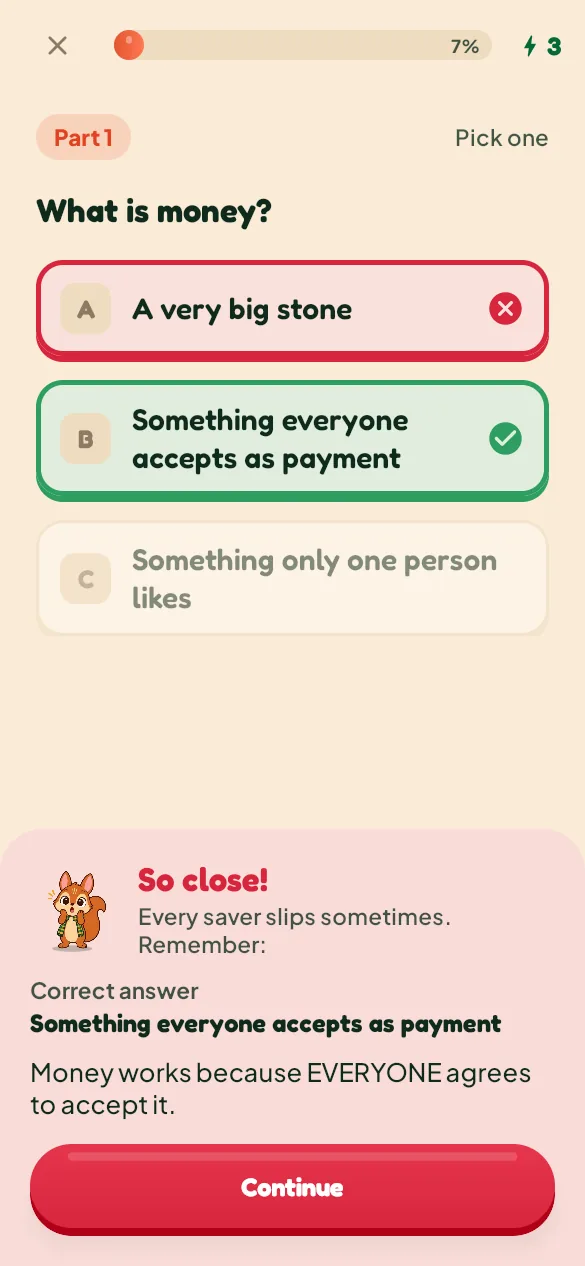
Each lesson is a short story told in scenes, with a quick question after each one and a review at the end. Wrong answers come with a clear explanation.
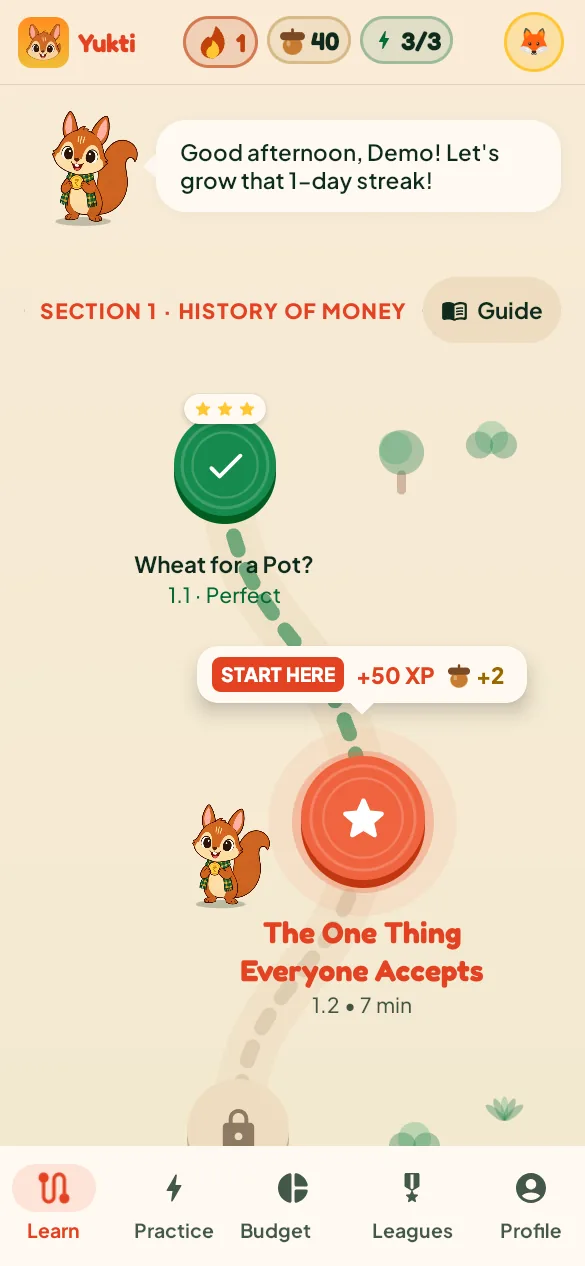
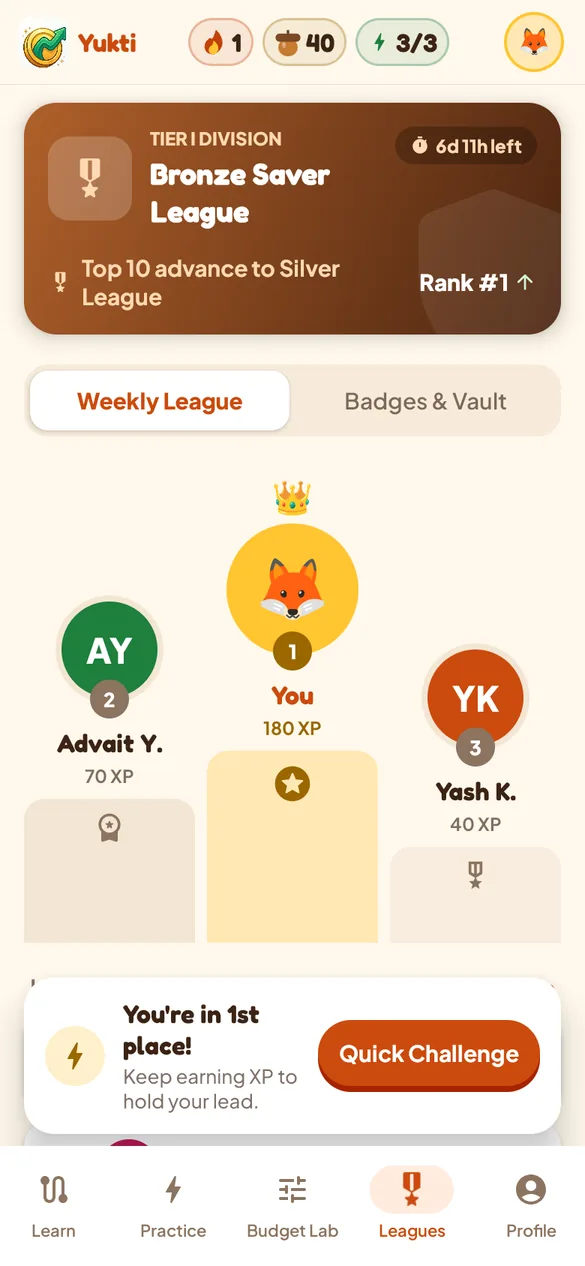
Practice brings back what you missed. Earn XP and acorns, keep your streak and climb the weekly league.
Learning with Yukti is fun, and it works. With quick, bite-size lessons, you'll earn XP and acorns as you build real money skills. Each lesson takes about five to ten minutes.
Yukti doesn't start with jargon. Every lesson is a short story: follow Meera from swapping wheat to scanning a QR code, then Kavya, Rohan and friends as they budget, borrow and plan. Each idea comes with a question straight away, so it sticks.
Build a daily habit with streaks, daily goals and badges. Climb the weekly leagues, with Yuki cheering on every win.
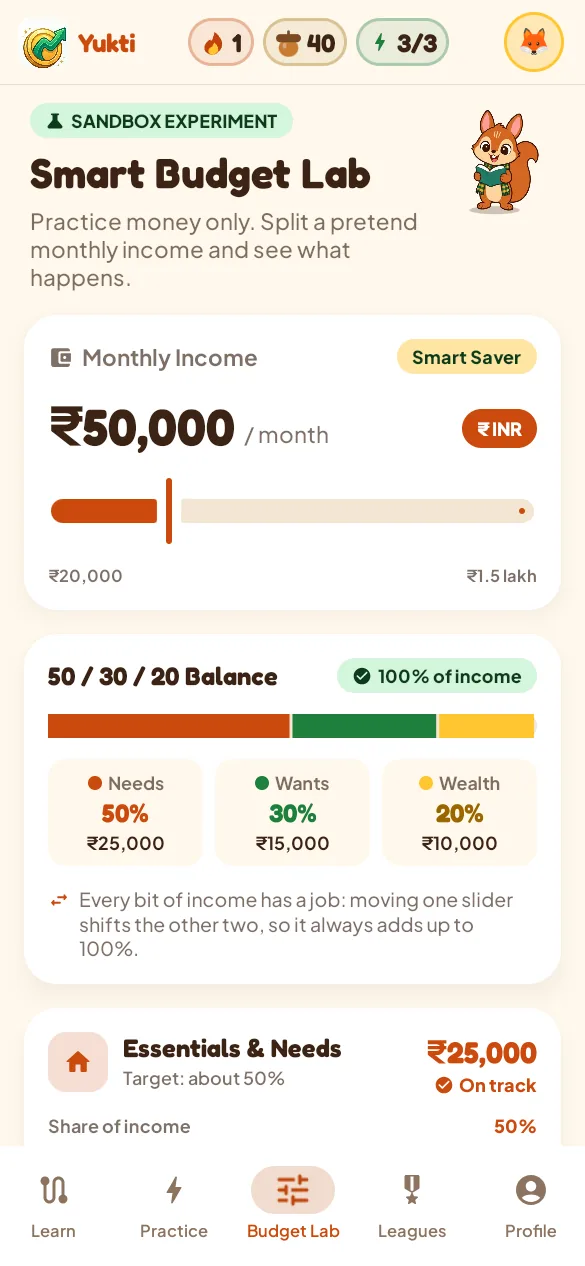
Try out what you've learned in the Smart Budget Lab. Split a pretend income with the 50/30/20 rule, and stress-test it against real-life surprises.
A two-minute placement quiz finds the right place to start. Get something wrong and Yuki explains why, then brings it back in Practice until it sticks. Money examples show in your own currency.

Yukti runs in your browser on a laptop, tablet or phone, so there's nothing to install. Sign in and your streak and progress follow you from one device to the next. On your phone, add it to your home screen and it opens just like an app.
Yes. Every lesson is free, with up to five lessons a day. Yukti Premium, coming soon, adds unlimited lessons and energy.
No. Yukti runs in your browser. Use an up-to-date Chrome, Edge, Firefox or Safari (on iPhone, iOS 18.2 or later). An Android app is on its way to Google Play too.
Yes, and then it opens full screen like any other app. Open yukti.finance/learn on your phone. On iPhone, tap Share, then "Add to Home Screen". On Android, open Chrome's ⋮ menu and tap "Add to Home screen" or "Install app".
Anyone who wants to feel more confident about money, especially if you're just starting out. If you're under 18, please ask a parent or guardian before creating an account.
A free account (email or Google) saves your progress, so you can switch between your laptop and your phone and pick up where you left off.
No. Yukti teaches general money ideas for learning purposes. It doesn't recommend specific financial products. For decisions about your own money, talk to a qualified professional.
In Yukti, go to Profile → Account → Delete account. You can also ask us to delete it.